
Server-Side vs Client-Side Tracking: What Teams Get Wrong
Client-side tracking is bleeding your data. Compare server-side vs client-side tracking, understand the real tradeoffs, and learn what high-performing SaaS teams do instead.
Introduction
Most SaaS teams ship client-side tracking by default. A JavaScript snippet fires on page load, events flow into an analytics tool, and everyone assumes the data is complete. It rarely is. Browser privacy features, ad blockers, and regulatory consent mechanisms are silently eating 20 to 40% of event data before it ever reaches a warehouse. The gap between server-side vs client-side tracking is not just architectural; it determines whether your product metrics reflect reality or a progressively distorted version of it.

The Architecture Divide and Why It Matters
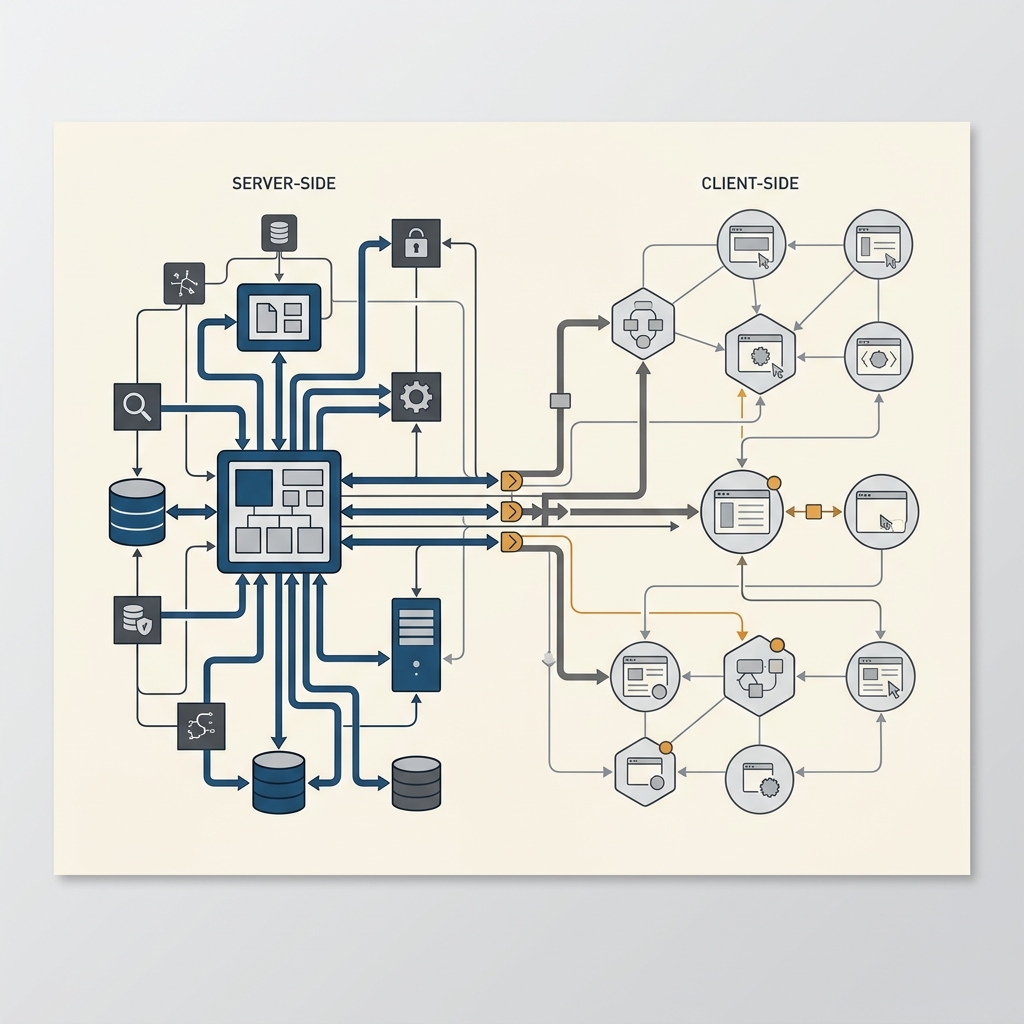
Understanding the tracking infrastructure architecture behind each approach is the first step toward diagnosing what your team is getting wrong. The distinction is not just about where code runs. It is about what data you can trust, how resilient your pipeline is, and how much control you retain over the collection layer.
How Client-Side and Server-Side Tracking Actually Work
Client-side tracking relies on JavaScript (or mobile SDKs) running inside the user's browser or device. When a user performs an action, the script packages event data and sends it directly to a third-party endpoint like Google Analytics, Mixpanel, or Amplitude. This approach is simple to implement, but it depends entirely on the user's environment cooperating. Here is where teams consistently misjudge the tradeoffs:
Execution dependency: Client-side scripts must load, parse, and execute before any event fires, making them vulnerable to slow connections, tab closures, and script errors
Ad blocker vulnerability: Browser extensions and DNS-level blockers intercept requests to known analytics endpoints, dropping events before they leave the device
Cookie restrictions: Safari's ITP and Firefox's ETP cap first-party cookie lifespans and block third-party cookies entirely, fragmenting user identity
Consent gating: Under GDPR, users who decline tracking cookies never generate events at all, creating a systematic bias in your dataset toward users who opt in
Payload tampering: Browser extensions and corporate proxies can modify or strip tracking payloads, corrupting the data that does arrive
Where Client-Side Tracking Quietly Breaks Down
Server-side tracking shifts the collection layer to your own backend. When a user triggers an action, your application server captures the event and forwards it to your analytics platform or data warehouse. The user's browser never needs to load an analytics script, which means ad blockers, cookie restrictions, and consent-gated JavaScript cannot interfere with data capture. This is the core of server-side tracking benefits: you own the pipeline from the moment data is generated.
The client-side tracking limitations become painfully obvious when you look at the numbers. Research on ad blocker adoption rates consistently shows that 30% or more of tech-savvy audiences use blocking tools. For developer-focused SaaS products, that percentage skews even higher. If a third of your most valuable users are invisible to your analytics, every conversion rate, retention curve, and funnel analysis is built on a lie.

What Teams Actually Get Wrong (and How to Fix It)
The mistakes are rarely about choosing the wrong tool. They are about choosing the wrong architecture for their context, or worse, never making a deliberate choice at all. Teams default to client-side because it ships faster, then spend months debugging data quality issues that are structural, not fixable with better instrumentation.
The Three Most Expensive Mistakes
The first mistake is treating the ad blocker impact on tracking as a minor nuisance rather than a systemic data quality problem. Teams notice slight discrepancies between their analytics platform and their backend logs, shrug, and move on. They do not realize the gap compounds: blocked users do not just disappear from one report. They vanish from identity resolution, cohort analysis, attribution models, and every downstream metric that depends on complete event streams. Some teams try proxying scripts to bypass adblockers, which helps partially but does not solve consent-layer or cookie-lifetime problems.
The second mistake is assuming server-side tracking means rebuilding everything from scratch. In reality, most modern customer data platforms like Segment support hybrid approaches. You can keep lightweight client-side tracking for real-time UI interactions while routing critical conversion events, subscription changes, and revenue-impacting actions through your server. PostHog server-side tracking, for example, allows teams to send events from their backend using simple HTTP calls, preserving accuracy for the events that actually drive decisions.
The third mistake is ignoring compliance as an architecture concern. GDPR compliant tracking is not just about showing a consent banner. It is about ensuring that when a user withholds consent, your server-side systems still capture the aggregated, non-personal event data you need for product analytics without violating regulations. Proper event taxonomy design separates personally identifiable fields from behavioral event properties at the schema level, enabling compliant collection regardless of consent state.
Building a Practical Migration Framework
Moving toward server-side collection does not have to be an all-or-nothing project. Start by auditing which events are mission-critical for growth measurement and which are nice-to-have for product exploration. Revenue events, subscription lifecycle changes, feature activation milestones, and custom events tied to core workflows should move server-side first. Page views, scroll depth, and UI interaction events can remain client-side since their partial loss is tolerable.
Next, evaluate your current stack against the best server-side tracking tools available. If you are already using Segment, enabling server-side sources is straightforward. If you run a warehouse-native architecture, piping events directly from your application server to Snowflake or BigQuery via Kafka or a lightweight event bus gives you the most control. TrackRaptor has published deep-dive comparisons across these platforms, and the practical takeaway is consistent: teams that route their highest-value events through the server see measurable improvements in data quality within weeks.
Finally, run a parallel tracking audit. Fire the same events from both client and server for two to four weeks and compare the volumes. The delta you see is your current data loss baseline. This number alone usually justifies the migration. Teams using automated data audits can set up ongoing monitoring to catch drift as browser and privacy landscapes continue evolving.
Conclusion
The tracking accuracy comparison between server-side and client-side approaches is not a theoretical debate. It is a measurable gap that compounds every day; your highest-value events rely on browser-based scripts. Teams that treat this as a technical curiosity rather than a growth measurement problem are making decisions on incomplete data, and their competitors who have shifted critical events server-side are working with a clearer picture. Start with a parallel audit, migrate your revenue-impacting events first, and build the compliance layer into your schema from day one. Understanding server-side fundamentals is the prerequisite, but actually shipping the infrastructure is what closes the gap.
Explore TrackRaptor's full library of tracking guides and platform comparisons to build a data collection strategy that holds up under real-world conditions.
Frequently Asked Questions (FAQs)
Is server-side tracking better than client-side?
Server-side tracking provides superior accuracy and resilience for critical events, but most teams benefit from a hybrid approach that uses server-side for high-value events and client-side for lightweight UI interactions.
How much data does ad blocking impact?
Ad blockers and privacy tools typically prevent 20 to 40% of client-side analytics events from firing, with the percentage rising significantly among technical and developer audiences.
Can server-side tracking prevent ad blocker loss?
Yes, because server-side events are generated by your application backend and never pass through the user's browser, ad blockers and browser extensions have no mechanism to intercept or block them.
How do Segment and Amplitude compare for server-side tracking?
Segment excels as a routing and collection layer that forwards server-side events to multiple destinations, while Amplitude is primarily an analytics platform that can ingest server-side data but does not replace the need for a dedicated data pipeline.
Is server-side tracking GDPR compliant in Europe?
Server-side tracking can be made GDPR compliant by separating personally identifiable data from behavioural event properties at the schema level and respecting user consent preferences before associating events with individual profiles.